Plan your Project Zomboid base before you build it
PZ Blueprint is a free base planner for Project Zomboid Build 42. Draw your base in the game's own view, plan every build stage and the materials it takes, then walk through it as a survivor.
Free, no account, runs in your browser. Install it as an app to plan offline.
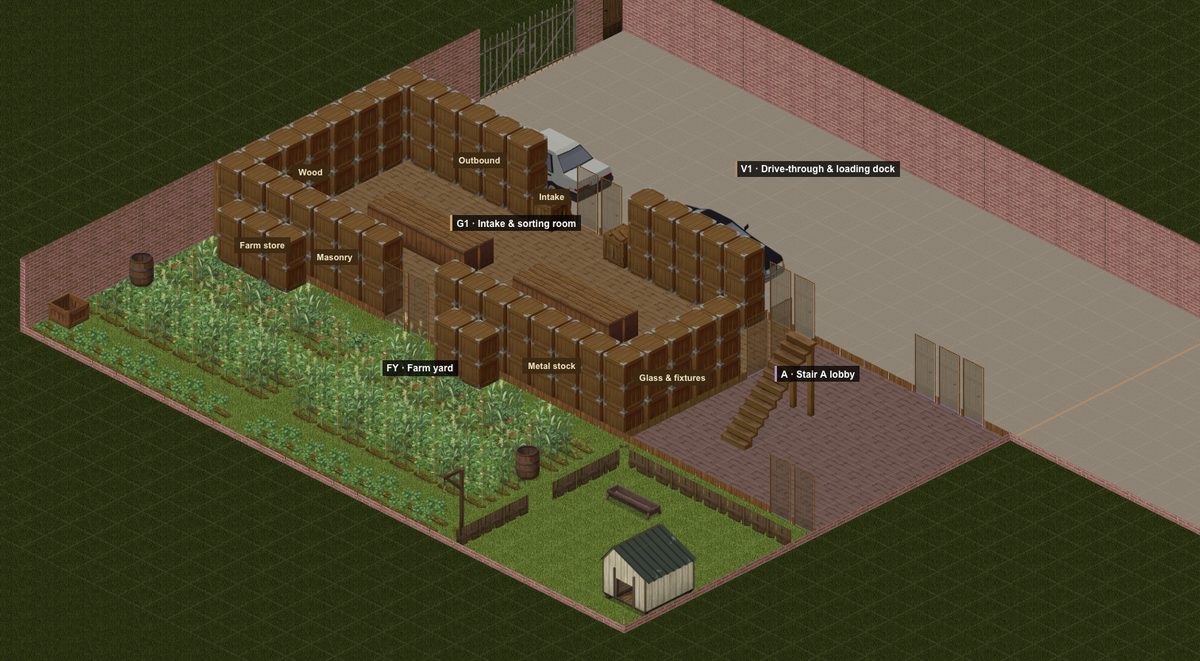
Everything a base plan needs
The game's own view
Build in the isometric view you know, with the game's sprites for walls, floors, furniture and cars, or switch to a clean top-down blueprint with a tile grid.
Walls on tile edges
Wood Lv1–3, log, stone, brick and metal walls, doors, windows, four-tile gates and fences, placed on tile edges exactly like the game, on up to eight levels.
Stages and materials
Plan the upgrade path, from a first shelter to a metal fortress. Every stage lists the planks, nails, bricks and metal it needs from the game's build recipes.
Storage that works
Zones, labels and a storage view with every container's capacity. The access check flags any crate nobody can open, and routes check the walk between rooms.
Walk it as a survivor
Press Play and explore your base at the game's walking, running and sprinting speeds, with walls cut away and objects fading the way the game does.
Let AI draft it
Describe your base and plot, and ChatGPT, Claude or any assistant drafts it. The planner checks the draft against the game's rules and tells the AI what to fix.
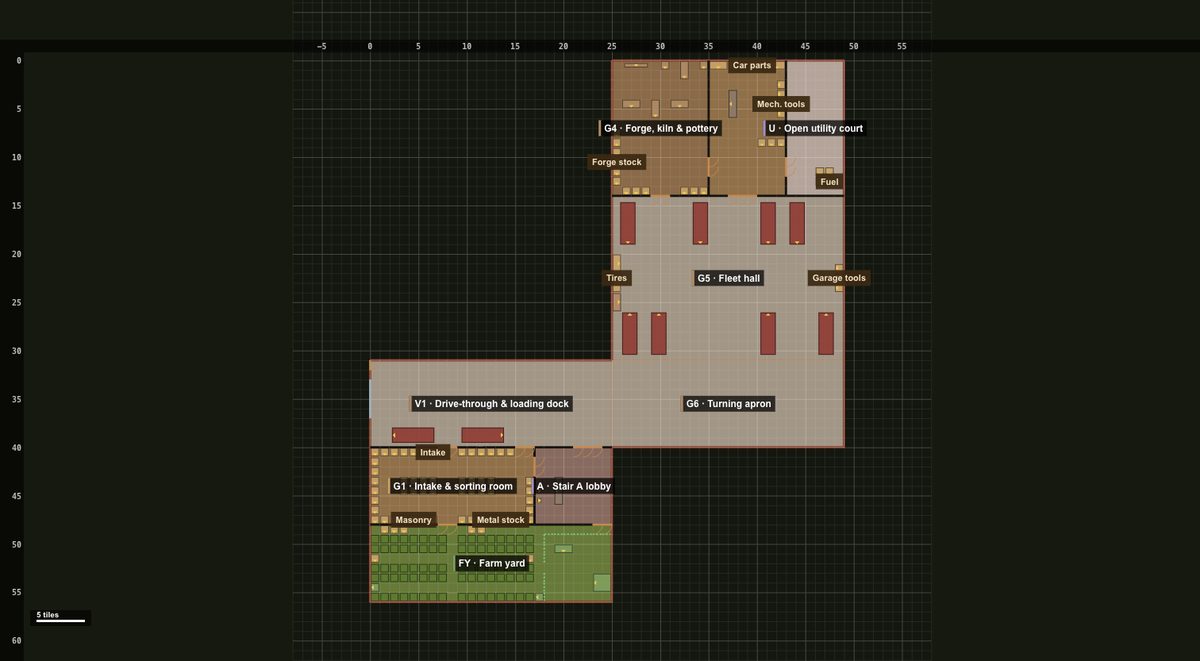
A blueprint you can build from
The top-down view shows every tile and wall edge with coordinates, so you can lay it out in game tile by tile. Name rooms with zones, mark storage sections with labels, and keep the whole base inside your claim, even an L-shaped one.
Plans save as small .pzbp files you can back up or share with your group.
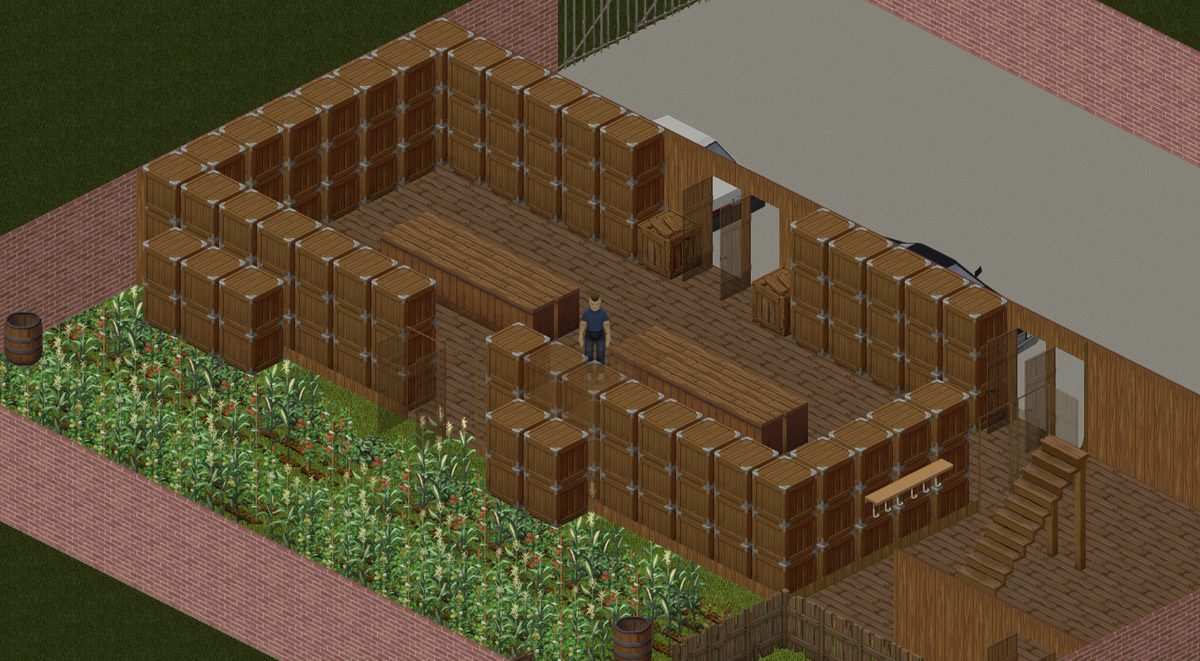
See it before you build it
Play mode drops the game's survivor into your plan. Walk the route from the car to the stores, climb the stairs, check that every crate can be reached and that the doors are where your feet expect them.
It uses the game's own walk, run and sprint speeds, so the distances you feel are the distances you'll walk.
How it works
- Set your plot. Start blank, open the example fortress, or describe your claim to an AI and let it draft the base.
- Design and furnish. Floors, walls, doors, stairs and any of the game's furniture, level by level, in the angled view or the blueprint.
- Plan the stages. Split the build into stages and see what each one costs in materials and skill levels.
- Check and walk it. Routes, storage access and Play mode catch the mistakes before they cost you a day in game.
Learn and look things up
Questions
Is PZ Blueprint free?
Yes. It runs in your browser with no account, and your plans stay on your device. You can save a plan as a file to back it up or share it.
Which version of Project Zomboid is it for?
It is made for Build 42: its walls, fences, floors, furniture and build recipes come from Build 42, and its rules (stairs, generators, farming) follow Build 42 on default settings.
Can AI design my base?
Yes. Build with AI gives ChatGPT, Claude or any assistant everything it needs to write a short build script for your plot. The planner builds it, checks it against the game's rules (plot, doors, stairs, reach, generators, crops) and gives you a list of fixes to paste back. Treat the result as a first draft to polish.
Can I plan upgrades, like wood first and metal later?
Yes. Stages hold your upgrade path: each stage is the base as it stands at that point, and the Materials and Stages views show what each stage adds and costs from the game's own recipes.
Can I walk through my base?
Yes. Press Play to explore it as a survivor at the game's own walking, running and sprinting speeds, with walls cut away and objects fading the way the game does.
Does it work for multiplayer claims that are not a rectangle?
Yes. Describe your claim (for example two joined rectangles) and the plan keeps everything inside it; anything outside the claim is flagged.
Ready to plan yours? Open the planner, start from the example, or let AI draft your base in a minute.
Open PZ Blueprint